Tokens are the new currency of software development, and many developers just got a very expensive lesson in exchange rates.
I’m talking about those of you developers using GitHub Copilot.
In late April 2026, GitHub announced that Copilot was moving to usage-based billing, replacing the premium request model with a pool of AI credits (AICs) metered by actual token consumption. The change took effect on June 1, 2026, and the reaction from developers has been… not great. TechCrunch covered the backlash, with developers reporting projected costs jumping from around $29 per month to nearly $750 for the same workloads. Power users running agentic sessions are estimating increases of 10x to 50x, and the fallback to lower-cost models when you exhaust your allotment? Gone.
The community discussion thread tells you everything you need to know about how this landed… and the /r/GitHubCopilot subreddit is on fire!
The result is a wave of developers re-evaluating their agentic coding tools. Some are staying and adapting, but plenty are moving to alternatives. I prefer Claude Code over all of them — it’s the tool I’ve built my agentic engineering workflows around and the one I write about on Voitanos — but you may land somewhere else.
Here’s the thing though: no matter which tool you use, the era of “don’t think about tokens, just prompt” is over. Token consumption now directly affects what you pay or how quickly you hit your plan’s limits. The developers who understand and manage their consumption get dramatically more out of the same subscription than those who don’t.
That’s why the single most valuable customization I’ve made to Claude Code is my status line. It puts my token and context window consumption in front of me after every single turn, so managing it becomes a habit instead of a surprise.
The Claude Code status line is a configurable terminal display that runs a script of your choosing after every turn. A custom script gives you real-time visibility into the three numbers that determine how far your subscription goes: how full your context window is, how much of your 5-hour session limit remains, and where you stand on your 7-day rolling quota.
Why the status line is worth customizing
Claude Code lets you replace its default status line with the output of any script you want. After every turn, it runs your script and hands it a JSON payload describing the current session: the model you’re using, how full your context window is, and how much of your rate limits you’ve consumed. Whatever your script prints is what you see at the bottom of your terminal.
Most status line examples you’ll find focus on cosmetics, like showing your git branch or some color flair. That stuff is nice, but it buries the lede. The real value is visibility into your context window and usage quotas, because that’s the data that changes how you work.
Let me explain why that matters.
Every prompt you submit to a large language model (LLM) re-sends the entire conversation history to the model. That’s how LLMs work; they’re stateless, so the full context goes up with every request. When your session has accumulated a long history of file reads, tool calls, and back-and-forth, you’re paying to resubmit all of it on every single turn, even when most of that history adds zero value to what you’re asking right now.
You’re essentially burning tokens for nothing. And those tokens count against your 5-hour session window and your 7-day rolling quota. Burn them carelessly and you’ll hit your limits hours or days before you should.
What the Claude Code status line displays
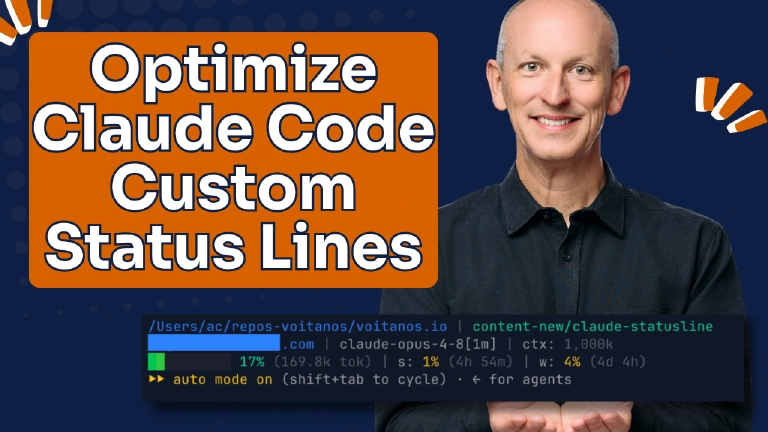
Here’s what mine looks like:

My customized Claude Code status line
It renders three lines, each answering a different question.
Line 1: where am I?

Line 1: Get your bearings...
The first line shows the current folder I’m working in. Simple, but when you’re running multiple Claude Code sessions across different projects, it’s the fastest way to confirm you’re about to prompt the right one. When I’m in a git repository, this line also shows the current branch.
Line 2: who am I, and what am I driving?
![A terminal line showing the logged-in Claude account email address, the active model ID (claude-opus-4-8[1m]), and total context window size (1,000k tokens).](/blog/claude-code-cli-statusline/claude-statusline-line-2_hu_6584f560817de8a2.webp "A terminal line showing the logged-in Claude account email address, the active model ID (claude-opus-4-8[1m]), and total context window size (1,000k tokens).")
Line 2: Current account, model, and context window size
The second line has two segments:
- Account: the email address of the Claude account I’m logged into. I have both work and personal Claude subscriptions, and this tells me at a glance which one this session is billing against. If you’ve ever accidentally burned your personal quota on work tasks, you know why this segment exists.
- Model and context window size: the model ID for the current session and the total size of its context window. In the screenshot, that’s claude-opus-4-8[1m] with a 1,000k token context window.
Line 3: how much runway do I have?

Line 3: Size of last turn's context window, session & weekly status
This is the line that earns its keep. Three segments, all about consumption:
- Context window usage: a progress bar and a percentage showing how full my context window is as of the last turn. In the screenshot I’m at 7% with a green light, so I’m in a good state. The bar fills as the conversation grows, the percentage changes color from green to yellow to red as I approach the limit, and the token count shows the raw total going up with the next prompt I submit.
- Session limit: my 5-hour session window. The screenshot shows I’ve used 1% of it, and it resets in 4 minutes and 54 seconds.
- Weekly limit: my 7-day rolling quota. I’ve used 4%, and it resets in 4 days and 4 hours.
One glance and I know exactly where I stand on every meter that matters.
How to use context window data to manage token consumption
The context window segment drives a simple habit: when the context grows large and the history isn’t earning its keep, I compact or clear the session.
There’s no magic number… it all depends on the scenario. But when it starts getting big and I’m using a more powerful model that uses more tokens, I ask myself whether the next thing I’m doing needs all that accumulated history. If it doesn’t, I run /compact to summarize the session down to its essentials, or /clear to start fresh. In practice, compacting at 60% rather than waiting for Claude Code to force-compact typically cuts the tokens I’m resubmitting by roughly half — which directly stretches how far my session and weekly quotas go.
The choice between them is simple: use /compact when you want the model to carry forward a summary of what you’ve done; use /clear when you’re switching to a completely different task and the accumulated context is just noise.
Without the status line, context growth is invisible until Claude Code force-compacts on its own schedule or you slam into a limit mid-task. With it, the green-yellow-red progression gives me plenty of warning to compact at a natural breakpoint I choose, like right after finishing a feature, instead of in the middle of something important.
The session and weekly segments shape my planning the same way. If I can see my 5-hour window is nearly exhausted but resets in twenty minutes, I’ll grab a coffee or churn through some email instead of starting a big refactor. If my weekly quota is running hot on a Tuesday, I know to be more deliberate about which tasks I hand to the agent for the rest of the week. That’s the same discipline I cover in Replicate Your Hands, Not Your Brain: be intentional about what you delegate to an agent, because every delegation has a cost.
Going over the limit
Here’s what makes Claude Code’s pricing model more forgiving than it first appears: when you exhaust your session or weekly limit, it automatically switches to metered pricing and pulls from any pre-purchased credits you have on hand. You keep working; the billing just shifts to your credit balance. Credits are available at a discount off regular metered rates — the exact discount depends on your Claude Max subscription tier. If you have auto-reload enabled, Claude tops up your credits automatically when they run low, so work continues uninterrupted unless your balance hits zero with auto-reload off.

Purchase additional credits to keep working
Usage Credit Pricing & Discounts
Discounts vary depending on your Claude Max subscription. The discounts above are for the $100/mo Max x5 plan.
This is great when you can’t afford to pause your work!
How the Claude Code status line script works
I maintain two versions of the script so it covers every platform:
statusline.sh: a bash script for anyone running Claude Code from a macOS or Linux terminal, or on Windows inside WSL or Git Bash. This is the one I use on macOS.
click to expand and see the statusline.sh for macOS, Linux, and Windows (WSL / Git Bash) consoles
#!/usr/bin/env bash # ~/.claude/statusline.sh # Claude Code statusLine script # Toggle: set CLAUDE_STATUSLINE_BAR=0 to hide the context bar (keep just %) # Line 1: <cwd> | [branch] # Line 2: [email |] <model-id> [ctx-size] # Line 3: <ctxbar> <ctx%> [tok] | [s:<5h%> (<rel>)] | [w:<7d%> (<rel>)] # --------------------------------------------------------------------------- # ANSI colors # --------------------------------------------------------------------------- RESET='\033[0m' GREEN='\033[32m' YELLOW='\033[33m' BLUE='\033[34m' RED='\033[31m' DIM='\033[2m' SEP="${DIM} | ${RESET}" # Truecolor helper (24-bit). Falls back gracefully on terminals that ignore it. rgb() { printf '\033[38;2;%d;%d;%dm' "$1" "$2" "$3"; } # Toggle: set CLAUDE_STATUSLINE_BAR=0 to hide the context bar (keep just %) SHOW_BAR="${CLAUDE_STATUSLINE_BAR:-1}" BAR_WIDTH="${CLAUDE_STATUSLINE_BAR_WIDTH:-10}" # --------------------------------------------------------------------------- # Read all fields. Prefer jq; fall back to a grep/sed parser when jq is absent # (e.g. a fresh Windows Git Bash install) so the statusline still renders. # --------------------------------------------------------------------------- input=$(cat) # Use ASCII Unit Separator (0x1F) as the field delimiter. Unlike tab/space, # bash does NOT collapse consecutive non-whitespace IFS chars, so empty fields # (e.g. absent cwd or rate_limits) are preserved and columns never shift. _US=$'\x1f' if command -v jq >/dev/null 2>&1; then _fields=$(printf '%s' "$input" | jq -j '[ (.workspace.current_dir // .cwd // ""), (.model.id // ""), (.context_window.used_percentage | if . != null then tostring else "" end), (.context_window.total_input_tokens | if . != null then tostring else "" end), (.context_window.total_output_tokens | if . != null then tostring else "" end), (.context_window.context_window_size | if . != null then tostring else "" end), (.rate_limits.five_hour.used_percentage | if . != null then tostring else "" end), (.rate_limits.five_hour.resets_at | if . != null then tostring else "" end), (.rate_limits.seven_day.used_percentage | if . != null then tostring else "" end), (.rate_limits.seven_day.resets_at | if . != null then tostring else "" end) ] | join("\u001f")' 2>/dev/null) IFS="$_US" read -r cwd model_id ctx_pct in_tok out_tok ctx_size five_pct five_reset seven_pct seven_reset <<EOF $_fields EOF else # ---- jq-less fallback ----------------------------------------------------- # Pull scalar fields with grep/sed (POSIX tools present on macOS & Git Bash). # Strings: capture "key":"value" ; Numbers: capture "key":<number>. # Nested keys are disambiguated by slicing to the relevant object first. # Flatten newlines first so slicing works on pretty-printed JSON too. _flat=$(printf '%s' "$input" | tr '\n' ' ') _jstr() { printf '%s' "$1" | grep -Eo "\"$2\"[[:space:]]*:[[:space:]]*\"[^\"]*\"" | head -n1 | sed -E "s/.*:[[:space:]]*\"([^\"]*)\"/\1/"; } _jnum() { printf '%s' "$1" | grep -Eo "\"$2\"[[:space:]]*:[[:space:]]*-?[0-9]+(\.[0-9]+)?" | head -n1 | sed -E "s/.*:[[:space:]]*(-?[0-9.]+)/\1/"; } # Crude object slicer: drop everything up to and including "key": { (single line in). _jobj() { printf '%s' "$1" | sed -E "s/.*\"$2\"[[:space:]]*:[[:space:]]*\{//"; } cwd=$(_jstr "$_flat" "current_dir"); [ -z "$cwd" ] && cwd=$(_jstr "$_flat" "cwd") model_id=$(_jstr "$_flat" "id") _cw=$(_jobj "$_flat" "context_window") ctx_pct=$(_jnum "$_cw" "used_percentage") in_tok=$(_jnum "$_cw" "total_input_tokens") out_tok=$(_jnum "$_cw" "total_output_tokens") ctx_size=$(_jnum "$_cw" "context_window_size") _5h=$(_jobj "$_flat" "five_hour") five_pct=$(_jnum "$_5h" "used_percentage") five_reset=$(_jnum "$_5h" "resets_at") _7d=$(_jobj "$_flat" "seven_day") seven_pct=$(_jnum "$_7d" "used_percentage") seven_reset=$(_jnum "$_7d" "resets_at") # One-time install hint (cached so it nags at most once per TTL window). _jq_hint_file="${TMPDIR:-/tmp}/statusline-jq-hint" if [ ! -f "$_jq_hint_file" ]; then case "$(uname -s 2>/dev/null)" in Darwin*) _jq_install="brew install jq" ;; MINGW*|MSYS*|CYGWIN*) _jq_install="winget install jqlang.jq (or: choco install jq / scoop install jq)" ;; Linux*) _jq_install="sudo apt install jq (or your distro's package manager)" ;; *) _jq_install="see https://jqlang.github.io/jq/download/" ;; esac printf 'claude statusline: jq not found — limited output. Install: %s\n' "$_jq_install" >&2 : > "$_jq_hint_file" 2>/dev/null fi fi [ -z "$cwd" ] && cwd="$PWD" # --------------------------------------------------------------------------- # Relative-time helper: seconds → "Xd Yh" / "Xh Ym" / "Xm Ys" / "Xs" / "now" # --------------------------------------------------------------------------- rel_time() { local epoch="$1" local now now=$(date +%s) local diff=$(( epoch - now )) if [ "$diff" -le 0 ]; then printf 'now' return fi local days=$(( diff / 86400 )) local hours=$(( (diff % 86400) / 3600 )) local mins=$(( (diff % 3600) / 60 )) local secs=$(( diff % 60 )) if [ "$days" -gt 0 ]; then printf '%dd %dh' "$days" "$hours" elif [ "$hours" -gt 0 ]; then printf '%dh %dm' "$hours" "$mins" elif [ "$mins" -gt 0 ]; then printf '%dm %ds' "$mins" "$secs" else printf '%ds' "$secs" fi } # --------------------------------------------------------------------------- # Token formatter: 15234 → 15.2k, 1500000 → 1.5M # --------------------------------------------------------------------------- fmt_tokens() { awk -v n="${1:-0}" 'BEGIN { if (n+0 <= 0) { printf ""; } else if (n >= 1000000) { printf "%.1fM", n/1000000 } else if (n >= 1000) { printf "%.1fk", n/1000 } else { printf "%d", n } }' } # --------------------------------------------------------------------------- # Context-size formatter: always thousands with comma grouping # 1000000 → 1,000k 200000 → 200k 128000 → 128k # --------------------------------------------------------------------------- fmt_ctx_size() { awk -v n="${1:-0}" 'BEGIN { if (n+0 <= 0) { printf ""; exit } k = int((n + 500) / 1000) # round to nearest thousand s = sprintf("%d", k) out = "" len = length(s) for (i = 1; i <= len; i++) { out = out substr(s, i, 1) rem = len - i if (rem > 0 && rem % 3 == 0) out = out "," } printf "%sk", out }' } # --------------------------------------------------------------------------- # Segment 1: abbreviated cwd (blue) # --------------------------------------------------------------------------- short_cwd="${cwd/#"$HOME"/~}" seg_cwd="${BLUE}${short_cwd}${RESET}" # --------------------------------------------------------------------------- # Segment 2: git branch (green) — omitted when not in a repo # --------------------------------------------------------------------------- seg_branch="" git_root=$(git -C "$cwd" --no-optional-locks rev-parse --show-toplevel 2>/dev/null) if [ -n "$git_root" ]; then branch=$(git -C "$cwd" --no-optional-locks symbolic-ref --short HEAD 2>/dev/null) if [ -z "$branch" ]; then branch=$(git -C "$cwd" --no-optional-locks rev-parse --short HEAD 2>/dev/null) branch="(${branch})" fi seg_branch="${GREEN}${branch}${RESET}" fi # --------------------------------------------------------------------------- # Segment 3: Claude Code authenticated account email (blue) — fail-silent # Source: `claude auth status` (JSON .email), cached in $TMPDIR for 5 min. # Override: set $CLAUDE_ACCOUNT_EMAIL in the environment to skip the CLI. # Force refresh: rm "${TMPDIR:-/tmp}/statusline-account" # --------------------------------------------------------------------------- account_email="" _cache_file="${TMPDIR:-/tmp}/statusline-account" _cache_ttl=300 # seconds if [ -n "$CLAUDE_ACCOUNT_EMAIL" ]; then account_email="$CLAUDE_ACCOUNT_EMAIL" else _need_refresh=1 if [ -f "$_cache_file" ]; then _mtime=$(stat -f %m "$_cache_file" 2>/dev/null || stat -c %Y "$_cache_file" 2>/dev/null || echo 0) _cache_age=$(( $(date +%s) - _mtime )) if [ "$_cache_age" -ge 0 ] && [ "$_cache_age" -lt "$_cache_ttl" ]; then account_email=$(cat "$_cache_file" 2>/dev/null) _need_refresh= fi fi if [ -n "$_need_refresh" ] && command -v claude >/dev/null 2>&1; then _auth_json=$(claude auth status 2>/dev/null) if [ -n "$_auth_json" ]; then account_email=$(printf '%s' "$_auth_json" | jq -r '.email // empty' 2>/dev/null) fi if [ -z "$account_email" ] || [ "$account_email" = "null" ]; then account_email=$(claude auth status --text 2>/dev/null \ | grep -Eo '[A-Za-z0-9._%+-]+@[A-Za-z0-9.-]+\.[A-Za-z]{2,}' \ | head -n1) fi [ "$account_email" = "null" ] && account_email="" printf '%s' "$account_email" > "$_cache_file" 2>/dev/null fi fi if [ -n "$account_email" ]; then seg_account="${BLUE}${account_email}${RESET}" else seg_account="" fi # --------------------------------------------------------------------------- # Segment 4: model id + total context size (size in thousands, e.g. 1,000k) # Segment 5: context bar + context % + session tokens # bar: RGB gradient green→yellow→red, dynamic emoji, % colored by threshold # thresholds: <70 green, 70–89 yellow, >=90 red (emoji adds 20% step) # --------------------------------------------------------------------------- build_ctx_bar() { local pct_int="$1" filled i pos r g b out="" filled=$(( (pct_int * BAR_WIDTH + 50) / 100 )) for (( i=0; i<BAR_WIDTH; i++ )); do if [ "$BAR_WIDTH" -gt 1 ]; then pos=$(( i * 100 / (BAR_WIDTH - 1) )); else pos=0; fi if [ "$pos" -le 50 ]; then r=$(( 0 + 220 * pos / 50 )); g=200; b=$(( 80 - 80 * pos / 50 )) else local adj=$(( pos - 50 )); r=220; g=$(( 200 - 160 * adj / 50 )); b=$(( 0 + 20 * adj / 50 )) fi if [ "$i" -lt "$filled" ]; then out="${out}$(rgb $r $g $b)█" else out="${out}\033[38;2;60;60;60m░" fi done printf '%b' "${out}${RESET}" } # Context usage: percent, color/emoji, and bar — computed first so both # segment 4 (model line) and segment 5 (context line) can reuse them. ctx_int="" bar="" if [ -n "$ctx_pct" ]; then ctx_int=$(printf '%.0f' "$ctx_pct") [ "$ctx_int" -lt 0 ] && ctx_int=0 [ "$ctx_int" -gt 100 ] && ctx_int=100 if [ "$ctx_int" -ge 90 ]; then ctx_color="$RED"; elif [ "$ctx_int" -ge 70 ]; then ctx_color="$YELLOW"; elif [ "$ctx_int" -ge 20 ]; then ctx_color="$GREEN"; else ctx_color="$GREEN"; fi [ "$SHOW_BAR" = "1" ] && bar=$(build_ctx_bar "$ctx_int") fi # Segment 4: model id + context bar + total context size ctx_size_fmt="" if [ -n "$ctx_size" ] && [ "${ctx_size:-0}" -gt 0 ]; then ctx_size_fmt=$(fmt_ctx_size "$ctx_size") fi if [ -n "$ctx_size_fmt" ]; then seg_model="${model_id}${SEP}ctx: ${DIM}${ctx_size_fmt}${RESET}" else seg_model="${model_id}${RESET}" fi # Segment 5: context bar + context % + session tokens if [ -n "$ctx_int" ]; then if [ -n "$bar" ]; then seg_ctx="${bar} ${ctx_color}${ctx_int}%${RESET}" else seg_ctx="${ctx_color}${ctx_int}%${RESET}" fi else seg_ctx="--${RESET}" fi # Session token total (input + output), appended to the context segment when present tok_total="" if [ -n "$in_tok" ] || [ -n "$out_tok" ]; then sum=$(( ${in_tok:-0} + ${out_tok:-0} )) tok_fmt=$(fmt_tokens "$sum") if [ -n "$tok_fmt" ]; then tok_total="${DIM}(${tok_fmt} tok)${RESET}" seg_ctx="${seg_ctx} ${tok_total}" fi fi # --------------------------------------------------------------------------- # Segment 6: 5-hour rate limit — omitted when block absent # --------------------------------------------------------------------------- seg_five="" if [ -n "$five_pct" ] && [ -n "$five_reset" ]; then five_int=$(printf '%.0f' "$five_pct") if [ "$five_int" -ge 80 ]; then five_color="$RED"; else five_color="$YELLOW"; fi five_rel=$(rel_time "$five_reset") seg_five="s: ${RESET}${five_color}${five_int}%${RESET}${DIM} (${five_rel})${RESET}" fi # --------------------------------------------------------------------------- # Segment 7: 7-day rate limit — omitted when block absent # --------------------------------------------------------------------------- seg_seven="" if [ -n "$seven_pct" ] && [ -n "$seven_reset" ]; then seven_int=$(printf '%.0f' "$seven_pct") if [ "$seven_int" -ge 80 ]; then seven_color="$RED"; else seven_color="$YELLOW"; fi seven_rel=$(rel_time "$seven_reset") seg_seven="w: ${RESET}${seven_color}${seven_int}%${RESET}${DIM} (${seven_rel})${RESET}" fi # --------------------------------------------------------------------------- # Assemble output # --------------------------------------------------------------------------- _join() { local _ref="$1" seg="$2" [ -z "$seg" ] && return local cur eval "cur=\$$_ref" if [ -z "$cur" ]; then eval "$_ref=\$seg" else eval "$_ref=\"\${cur}\${SEP}\${seg}\"" fi } line1="" _join line1 "$seg_cwd" _join line1 "$seg_branch" line2="" _join line2 "$seg_account" _join line2 "$seg_model" line3="" _join line3 "$seg_ctx" _join line3 "$seg_five" _join line3 "$seg_seven" out="" for ln in "$line1" "$line2" "$line3"; do [ -z "$ln" ] && continue if [ -z "$out" ]; then out="$ln" else out="$out $ln" fi done [ -n "$out" ] && printf "%b\n" "$out"statusline.ps1: a PowerShell port for anyone running Claude Code on Windows from cmd.exe or PowerShell. It also runs fine under PowerShell 7+ on macOS and Linux if that’s your shell of choice.
click to expand and see the statusline for Windows cmd.exe or PowerShell consoles
# ~/.claude/statusline.ps1
# Claude Code statusLine script — PowerShell port of statusline.sh
# Works under Windows PowerShell 5.1 and PowerShell 7+ (pwsh) on any OS.
# Configure in settings.json:
#   "command": "powershell -NoProfile -File ~/.claude/statusline.ps1"
#   (use "pwsh" instead of "powershell" on macOS/Linux)
#
# Toggle: set CLAUDE_STATUSLINE_BAR=0 to hide the context bar (keep just %)
# Line 1: <cwd> | [branch]
# Line 2: [email |] <model-id> [ctx-size]
# Line 3: <ctxbar> <ctx%> [tok] | [s:<5h%> (<rel>)] | [w:<7d%> (<rel>)]

$ErrorActionPreference = 'SilentlyContinue'

# ---------------------------------------------------------------------------
# ANSI colors
# ---------------------------------------------------------------------------
$ESC   = [char]27
$RESET  = "$ESC[0m"
$GREEN  = "$ESC[32m"
$YELLOW = "$ESC[33m"
$BLUE   = "$ESC[34m"
$RED    = "$ESC[31m"
$DIM    = "$ESC[2m"
$SEP    = "$DIM | $RESET"

# Truecolor (24-bit). Falls back gracefully on terminals that ignore it.
function Rgb([int]$r, [int]$g, [int]$b) { "$ESC[38;2;$r;$g;${b}m" }

# Toggles
$SHOW_BAR  = if ($env:CLAUDE_STATUSLINE_BAR) { $env:CLAUDE_STATUSLINE_BAR } else { '1' }
$BAR_WIDTH = if ($env:CLAUDE_STATUSLINE_BAR_WIDTH) { [int]$env:CLAUDE_STATUSLINE_BAR_WIDTH } else { 10 }

# ---------------------------------------------------------------------------
# Read all fields. PowerShell parses JSON natively, so no jq dependency.
# ---------------------------------------------------------------------------
$raw = [Console]::In.ReadToEnd()
$data = $null
if ($raw) { $data = $raw | ConvertFrom-Json }

# Helper: safely read a nested property path, returning $null if any hop is absent.
function Get-Field($obj, [string[]]$path) {
  $cur = $obj
  foreach ($p in $path) {
    if ($null -eq $cur) { return $null }
    $cur = $cur.PSObject.Properties[$p].Value
  }
  return $cur
}

$cwd        = Get-Field $data @('workspace','current_dir'); if (-not $cwd) { $cwd = Get-Field $data @('cwd') }
$model_id   = Get-Field $data @('model','id')
$ctx_pct    = Get-Field $data @('context_window','used_percentage')
$in_tok     = Get-Field $data @('context_window','total_input_tokens')
$out_tok    = Get-Field $data @('context_window','total_output_tokens')
$ctx_size   = Get-Field $data @('context_window','context_window_size')
$five_pct   = Get-Field $data @('rate_limits','five_hour','used_percentage')
$five_reset = Get-Field $data @('rate_limits','five_hour','resets_at')
$seven_pct  = Get-Field $data @('rate_limits','seven_day','used_percentage')
$seven_reset= Get-Field $data @('rate_limits','seven_day','resets_at')

if (-not $cwd) { $cwd = (Get-Location).Path }

# ---------------------------------------------------------------------------
# Relative-time helper: epoch seconds -> "Xd Yh" / "Xh Ym" / "Xm Ys" / "Xs" / "now"
# ---------------------------------------------------------------------------
function Rel-Time([long]$epoch) {
  $now  = [int][double]::Parse((Get-Date -UFormat %s))
  $diff = $epoch - $now
  if ($diff -le 0) { return 'now' }
  $days  = [math]::Floor($diff / 86400)
  $hours = [math]::Floor(($diff % 86400) / 3600)
  $mins  = [math]::Floor(($diff % 3600) / 60)
  $secs  = $diff % 60
  if     ($days  -gt 0) { return "{0}d {1}h" -f $days,  $hours }
  elseif ($hours -gt 0) { return "{0}h {1}m" -f $hours, $mins }
  elseif ($mins  -gt 0) { return "{0}m {1}s" -f $mins,  $secs }
  else                  { return "{0}s" -f $secs }
}

# ---------------------------------------------------------------------------
# Token formatter: 15234 -> 15.2k, 1500000 -> 1.5M
# ---------------------------------------------------------------------------
function Format-Tokens([double]$n) {
  if ($n -le 0)            { return '' }
  elseif ($n -ge 1000000) { return ('{0:0.0}M' -f ($n / 1000000)) }
  elseif ($n -ge 1000)    { return ('{0:0.0}k' -f ($n / 1000)) }
  else                    { return ('{0:0}' -f $n) }
}

# ---------------------------------------------------------------------------
# Context-size formatter: always thousands with comma grouping
#   1000000 -> 1,000k   200000 -> 200k   128000 -> 128k
# ---------------------------------------------------------------------------
function Format-CtxSize([double]$n) {
  if ($n -le 0) { return '' }
  $k = [math]::Floor(($n + 500) / 1000)
  return ('{0:#,0}k' -f $k)
}

# ---------------------------------------------------------------------------
# Segment 1: abbreviated cwd (blue)
# ---------------------------------------------------------------------------
$homeDir = $env:HOME; if (-not $homeDir) { $homeDir = $env:USERPROFILE }
$short_cwd = $cwd
if ($homeDir -and $cwd.StartsWith($homeDir)) {
  $short_cwd = '~' + $cwd.Substring($homeDir.Length)
}
$seg_cwd = "$BLUE$short_cwd$RESET"

# ---------------------------------------------------------------------------
# Segment 2: git branch (green) — omitted when not in a repo
# ---------------------------------------------------------------------------
$seg_branch = ''
$git_root = git -C "$cwd" --no-optional-locks rev-parse --show-toplevel 2>$null
if ($git_root) {
  $branch = git -C "$cwd" --no-optional-locks symbolic-ref --short HEAD 2>$null
  if (-not $branch) {
    $sha = git -C "$cwd" --no-optional-locks rev-parse --short HEAD 2>$null
    $branch = "($sha)"
  }
  if ($branch) { $seg_branch = "$GREEN$branch$RESET" }
}

# ---------------------------------------------------------------------------
# Segment 3: Claude Code authenticated account email (blue) — fail-silent
# Source: `claude auth status` (JSON .email), cached for 5 min.
# Override: set $env:CLAUDE_ACCOUNT_EMAIL to skip the CLI.
# ---------------------------------------------------------------------------
$account_email = ''
$tmp = if ($env:TMPDIR) { $env:TMPDIR } elseif ($env:TEMP) { $env:TEMP } else { '/tmp' }
$cache_file = Join-Path $tmp 'statusline-account'
$cache_ttl  = 300

if ($env:CLAUDE_ACCOUNT_EMAIL) {
  $account_email = $env:CLAUDE_ACCOUNT_EMAIL
} else {
  $need_refresh = $true
  if (Test-Path $cache_file) {
    $age = ((Get-Date) - (Get-Item $cache_file).LastWriteTime).TotalSeconds
    if ($age -ge 0 -and $age -lt $cache_ttl) {
      $account_email = (Get-Content $cache_file -Raw 2>$null)
      if ($account_email) { $account_email = $account_email.Trim() }
      $need_refresh = $false
    }
  }
  if ($need_refresh -and (Get-Command claude -ErrorAction SilentlyContinue)) {
    $auth_json = claude auth status 2>$null | Out-String
    if ($auth_json) {
      try { $account_email = ($auth_json | ConvertFrom-Json).email } catch { $account_email = '' }
    }
    if (-not $account_email) {
      $txt = claude auth status --text 2>$null | Out-String
      $m = [regex]::Match($txt, '[A-Za-z0-9._%+-]+@[A-Za-z0-9.-]+\.[A-Za-z]{2,}')
      if ($m.Success) { $account_email = $m.Value }
    }
    if ($account_email -eq 'null') { $account_email = '' }
    try { [IO.File]::WriteAllText($cache_file, [string]$account_email) } catch {}
  }
}

$seg_account = if ($account_email) { "$BLUE$account_email$RESET" } else { '' }

# ---------------------------------------------------------------------------
# Context bar: RGB gradient green->yellow->red
# ---------------------------------------------------------------------------
function Build-CtxBar([int]$pct_int) {
  $filled = [math]::Floor(($pct_int * $BAR_WIDTH + 50) / 100)
  $out = ''
  for ($i = 0; $i -lt $BAR_WIDTH; $i++) {
    if ($BAR_WIDTH -gt 1) { $pos = [math]::Floor($i * 100 / ($BAR_WIDTH - 1)) } else { $pos = 0 }
    if ($pos -le 50) {
      $r = [math]::Floor(220 * $pos / 50); $g = 200; $b = [math]::Floor(80 - 80 * $pos / 50)
    } else {
      $adj = $pos - 50; $r = 220; $g = [math]::Floor(200 - 160 * $adj / 50); $b = [math]::Floor(20 * $adj / 50)
    }
    if ($i -lt $filled) {
      $out += (Rgb $r $g $b) + [char]0x2588   # full block
    } else {
      $out += "$ESC[38;2;60;60;60m" + [char]0x2591  # light shade
    }
  }
  return "$out$RESET"
}

# Context usage: percent, color/emoji, bar — computed first so segments 4 & 5 reuse them.
$ctx_int = $null
$bar = ''
$ctx_color = $GREEN
$ctx_emoji = ''
if ($null -ne $ctx_pct -and $ctx_pct -ne '') {
  $ctx_int = [int][math]::Round([double]$ctx_pct)
  if ($ctx_int -lt 0)   { $ctx_int = 0 }
  if ($ctx_int -gt 100) { $ctx_int = 100 }

  if     ($ctx_int -ge 90) { $ctx_color = $RED    }
  elseif ($ctx_int -ge 70) { $ctx_color = $YELLOW }
  elseif ($ctx_int -ge 20) { $ctx_color = $GREEN  }
  else                     { $ctx_color = $GREEN  }

  if ($SHOW_BAR -eq '1') { $bar = Build-CtxBar $ctx_int }
}

# Segment 4: model id + total context size
$ctx_size_fmt = ''
if ($ctx_size -and [double]$ctx_size -gt 0) { $ctx_size_fmt = Format-CtxSize ([double]$ctx_size) }
if ($ctx_size_fmt) {
  $seg_model = "$model_id$SEP" + "ctx: $DIM$ctx_size_fmt$RESET"
} else {
  $seg_model = "$model_id$RESET"
}

# Segment 5: context bar + context % + session tokens
if ($null -ne $ctx_int) {
  if ($bar) {
    $seg_ctx = "$bar $ctx_color$ctx_int%$RESET"
  } else {
    $seg_ctx = "$ctx_color$ctx_int%$RESET"
  }
} else {
  $seg_ctx = "--$RESET"
}

# Session token total (input + output)
if (($null -ne $in_tok -and $in_tok -ne '') -or ($null -ne $out_tok -and $out_tok -ne '')) {
  $sum = 0.0
  if ($in_tok)  { $sum += [double]$in_tok }
  if ($out_tok) { $sum += [double]$out_tok }
  $tok_fmt = Format-Tokens $sum
  if ($tok_fmt) { $seg_ctx = "$seg_ctx $DIM($tok_fmt tok)$RESET" }
}

# ---------------------------------------------------------------------------
# Segment 6: 5-hour rate limit — omitted when block absent
# ---------------------------------------------------------------------------
$seg_five = ''
if (($null -ne $five_pct -and $five_pct -ne '') -and ($null -ne $five_reset -and $five_reset -ne '')) {
  $five_int = [int][math]::Round([double]$five_pct)
  $five_color = if ($five_int -ge 80) { $RED } else { $YELLOW }
  $five_rel = Rel-Time ([long]$five_reset)
  $seg_five = "s: $RESET$five_color$five_int%$RESET$DIM ($five_rel)$RESET"
}

# ---------------------------------------------------------------------------
# Segment 7: 7-day rate limit — omitted when block absent
# ---------------------------------------------------------------------------
$seg_seven = ''
if (($null -ne $seven_pct -and $seven_pct -ne '') -and ($null -ne $seven_reset -and $seven_reset -ne '')) {
  $seven_int = [int][math]::Round([double]$seven_pct)
  $seven_color = if ($seven_int -ge 80) { $RED } else { $YELLOW }
  $seven_rel = Rel-Time ([long]$seven_reset)
  $seg_seven = "w: $RESET$seven_color$seven_int%$RESET$DIM ($seven_rel)$RESET"
}

# ---------------------------------------------------------------------------
# Assemble output
# ---------------------------------------------------------------------------
function Join-Segs([string[]]$segs) {
  ($segs | Where-Object { $_ -ne '' -and $null -ne $_ }) -join $SEP
}

$line1 = Join-Segs @($seg_cwd, $seg_branch)
$line2 = Join-Segs @($seg_account, $seg_model)
$line3 = Join-Segs @($seg_ctx, $seg_five, $seg_seven)

$lines = @($line1, $line2, $line3) | Where-Object { $_ -ne '' }
[Console]::Out.Write(($lines -join "`n") + "`n")
I’m not going to walk through every line of code because you don’t need to understand it to use it, but the flow is straightforward. Claude Code pipes a JSON payload to the script on stdin after every turn. The script pulls out the fields it cares about, including the working directory, model ID, context window usage, and the 5-hour and 7-day rate limit blocks, then formats them into the three lines you saw above with ANSI colors and the gradient progress bar.
The bash version uses jq to parse the JSON when it’s available and falls back to a POSIX grep/sed parser when it isn’t, so it still renders on a fresh Git Bash install. The PowerShell version parses JSON natively with ConvertFrom-Json, so it has no external dependencies at all.
Both scripts also support a couple of environment variables for tweaking the display, like CLAUDE_STATUSLINE_BAR=0 to hide the progress bar and keep just the percentage, or CLAUDE_STATUSLINE_BAR_WIDTH to change the bar’s width.
If you want to build your own version, here’s the full set of fields Claude Code sends in the JSON payload on stdin:
| Field | Type | Description |
|---|---|---|
workspace.current_dir | string | Absolute path to the current working directory |
model.id | string | Full model ID (e.g., claude-opus-4-8[1m]) |
context_window.used_percentage | number | Context window fill as a percentage (0–100) |
context_window.total_input_tokens | number | Input tokens consumed this session |
context_window.total_output_tokens | number | Output tokens generated this session |
context_window.context_window_size | number | Maximum token capacity of the context window |
rate_limits.five_hour.used_percentage | number | 5-hour session limit consumed (0–100) |
rate_limits.five_hour.resets_at | number | Unix timestamp of the 5-hour limit reset |
rate_limits.seven_day.used_percentage | number | 7-day rolling quota consumed (0–100) |
rate_limits.seven_day.resets_at | number | Unix timestamp of the 7-day limit reset |
Install it on macOS, Linux, WSL, or Git Bash
If you’re on macOS or Linux, or on Windows using WSL or Git Bash as your shell, you’ll use the bash script:
Copy statusline.sh to ~/.claude/statusline.sh.
Make sure it has the correct permissions applied, by running the following:
chmod +x ~/.claude/statusline.shOpen ~/.claude/settings.json and add the following:
"statusLine": {
  "type": "command",
  "command": "~/.claude/statusline.sh"
}
That’s it. The next turn you take in Claude Code, the status line renders. If you don’t have jq installed, the script still works in fallback mode, but I’d recommend installing it for the most reliable parsing:
brew install jq
Install it on Windows with cmd.exe or PowerShell
If you’re on Windows running Claude Code from cmd.exe or PowerShell, use the PowerShell script:
Copy statusline.ps1 to ~/.claude/statusline.ps1.
Open ~/.claude/settings.json and add the following:
"statusLine": {
  "type": "command",
  "command": "powershell -NoProfile -File $HOME/.claude/statusline.ps1"
}
Using PowerShell 7+ on MacOS or Linux?
The PowerShell script works cross-platform. Just swap powershell for pwsh in the command above if you’re using PowerShell on macOS.
Wrapping it up
Usage-based pricing changed the deal for a lot of developers, and whether you’ve moved to Claude Code or you’re managing credits in another tool, the lesson is the same: token consumption is now something you manage, not something you ignore. A status line that surfaces your context window and quota consumption after every turn turns that management from guesswork into a glance.
Grab the scripts, drop them into your ~/.claude folder, and add three lines to your settings. Five minutes of setup, and you’ll never wonder where your tokens went again.
How are you keeping tabs on your token consumption? Have you customized your status line, or are you flying blind? I’d love to hear what you’re tracking in the comments below.

Microsoft MVP, Full-Stack Developer & Chief Course Artisan - Voitanos LLC.
Andrew Connell is a full stack developer who focuses on Microsoft Azure & Microsoft 365. He’s a 22-year recipient of Microsoft’s MVP award and has helped thousands of developers through the various courses he’s authored & taught. Whether it’s an introduction to the entire ecosystem, or a deep dive into a specific software, his resources, tools, and support help web developers become experts in the Microsoft 365 ecosystem, so they can become irreplaceable in their organization.