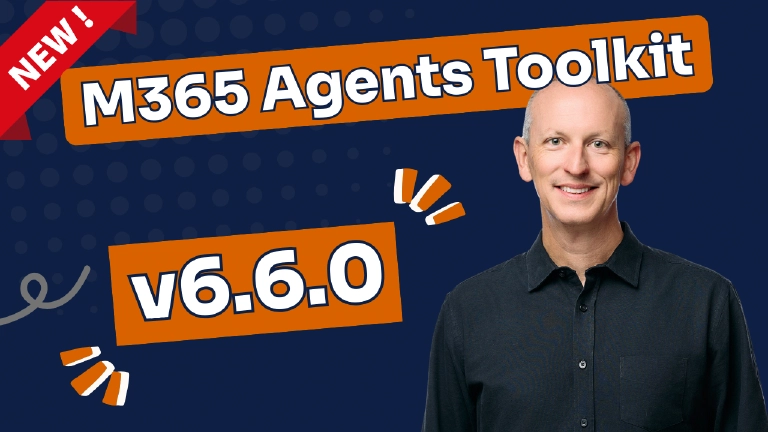
Microsoft shipped the Microsoft 365 (M365) Agents Toolkit (ATK) (formerly Teams Toolkit (TTK)) v6.6.0 for Visual Studio Code (VS Code) last week, on March 9, 2026. This release skipped v6.5, jumping straight from the v6.4.* releases in November 2025 to v6.6.0, and contains a bunch of new features, template modernization, and bug fixes.
The headline changes: Government Cloud (GCC-M) support for building apps in government environments, embedded knowledge for declarative agents so you can ship curated content packaged with the agent, Model Context Protocol (MCP) integration for declarative agents reaching GA, and a massive template cleanup that removed 61 project templates to consolidate around agent-focused development scenarios.
I’ve picked apart this release, comparing the templates, and digging into what changed to figure out what’s new, and how this will impact some of my projects.

Microsoft 365 Agents Toolkit v6.6.0
This release includes:
- General Updates:
- ✅ Government Cloud (GCC-M) support
- ✅ new
atk initCLI command - ♻️ ATK project (
m365agents.*.yml) schema bumped to v1.11 - ♻️
teamsApp/validateManifestaction removed from all templates - ♻️ updates to the Azure Bicep provisioning templates
- ♻️ massive template cleanup (60+ templates removed!)
- 🐞 a bunch of bug fixes across provisioning, scripting, and Model Context Protocol (MCP)
- M365 Declarative Agents:
- ✅ Added embedded knowledge
- ✅ MCP integration for declarative agents reached the GA milestone
- Microsoft Teams apps:
- ♻️ Teams app manifest bumped to v1.25
- ✅ Microsoft Foundry agent template
Let’s get into it.
What happened between the ATK v6.4.0 and v6.6.0?
Before jumping into v6.6.0, it’s worth noting three hotfix releases that shipped between the v6.4.0 from November 2025 and this release:
v6.4.1 (November 17, 2025) increased the retry duration for the Check Status API to reduce 429 (Too Many Requests) errors during local debugging and provisioning. This one bit me a lot… there was a bug in the ATK action
teamsApp/extendToM365that kept retrying after 2s, essentially triggering throttling that ultimately resulted in 429 responses. Strange though… that bug is still listed as open.OfficeDev/microsoft-365-agents-toolkit#14684429 error experienced unexpectedly during teamsApp/extendToM365
https://github.com/OfficeDev/microsoft-365-agents-toolkit/issues/14684
v6.4.2 (December 15, 2025) addressed two things: (1) the Agents Playground installation flow was made more reliable, and (2) a fix was applied to the Microsoft Teams (MSTeams) message extension template to prevent npm build errors triggered by certain parameter types.
v6.4.3 (January 16, 2026) refined the telemetry collection algorithm and improved the pop-up notification logic to minimize false reminders for non-ATK projects. If you were getting nagged by ATK notifications in projects that had nothing to do with ATK, this was your fix.
What’s new in Microsoft 365 Agents Toolkit v6.6.0?
Now, let’s start with what most of us are interested in: what new capabilities were added to the ATK v6.6.0!
Government Cloud (GCC-M) support
ATK now supports building apps targeting the Government Community Cloud Moderate (GCC-M) environment. This means project creation and cloud operations can target GCC-M Azure and Microsoft 365 (M365) environments.
This is a notable addition, as it was something I saw with my customers and was the basis for my article on how to customize the toolkit projects for GCC development & testing:
Learn how to configure Teams Toolkit projects for GCC environments by removing Azure and Microsoft 365 dependencies, enabling testing and debugging with a local development.
https://www.voitanos.io/blog/microsoft-teams-toolkit-howto-configure-ttk-projects-for-gcc-development/

To switch your cloud environment, go to your VS Code user settings, find M365 Agents Toolkit: Sovereign Cloud Environment, and set the value to GCC M. From there, you can use your government account for the full ATK workflow.

Microsoft 365 Agents Toolkit v6.6.0 and the new Sovereign Cloud Environment setting
GCC High and DoD support aren’t available yet, but both are on the roadmap.
For those of you building Microsoft Teams apps and Declarative Agents (DAs) for government customers, this is a welcome addition. Until now, you were working around the lack of support for these environments.
M365 Declarative Agents: added support for embedded knowledge
Embedded knowledge lets you package local knowledge sources — like reference documents, SOPs, or product documentation — directly inside your declarative agent, so they deploy and version together. No external SharePoint or OneDrive connections required. This feature, previewed at the Microsoft Ignite 2025 conference, is now available in ATK v6.6.0.
This one caught my attention; it changes how you think about packaging knowledge with your agent.
Build and bring your own agent into Microsoft 365 Copilot with the Microsoft 365 Agents Toolkit. Explore Declarative and Custom Engine Agents, use the Microsoft 365 Agents SDK, and extend with Copilot APIs to ground answers securely in Microsoft 365 data. Discover the powerful flexibility we offer to build the right agent for your needs.
https://www.youtube.com/watch?v=z6gIaCYmvos
To use it, open your declarative agent project, find Add Capability in the ATK menu, select Embedded Knowledge, then choose the file you want to add:

Add embedded knowledge to M365 Declarative Agents
This is particularly useful when you want to ship a DA with specific reference material, standard operating procedures, or product documentation that doesn’t need to live in SharePoint or OneDrive. The knowledge is versioned and deployed with the agent, which means it stays in sync with your agent’s instructions.
New ATK CLI command: atk init
The new atk init command lets you bring existing agent or Microsoft Teams app projects into the ATK workflow without starting from scratch. This is useful when you already have an agent or app package (for example, a prebuilt ZIP created using other tooling) and want to adopt ATK for provisioning, configuration, and lifecycle management.
To try it, download ATK CLI v1.1.5 and set the feature flag TEAMSFX_GENERATE_CONFIG_FILES to true as an environment variable when running the CLI.
Microsoft 365 Agents Toolkit CLI is a text-based command line interface that can help scaffold, validate, and deploy applications for Microsoft 365 from the terminal or a CI/CD process.
https://www.npmjs.com/package/@microsoft/m365agentstoolkit-cli

I like this addition. It’s a sign that the ATK team recognizes developers don’t always start from scratch with their tooling, and sometimes you want to bring existing work into the fold. Frankly, I like this much more than the Teams SDK v2 CLI approach which I found to be outdated and unreliable.
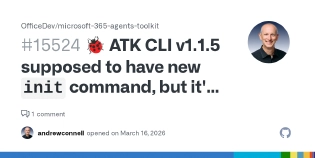
Although… I installed the latest and don’t see the new command. Well… I guess it will be a nice one when the bug is squashed: officedev/microsoft-365-agents-toolkit#15524.
🐞 ATK CLI v1.1.5 supposed to have new init command, but it's missing
https://github.com/OfficeDev/microsoft-365-agents-toolkit/issues/15524
$ echo "$TEAMSFX_GENERATE_CONFIG_FILES"
true

$ atk -v
1.1.5

$ atk init
(✖) Error: TeamsfxCLI.UnknownCommandError: 'init' is misspelled or not
recognized by Microsoft 365 Agents Toolkit CLI. Use 'atk -h' for more
command information.

$ atk -h
Usage: atk [options]

Microsoft 365 Agents Toolkit CLI.

Options:
  --version -v          Display Microsoft 365 Agents Toolkit CLI version.
  --help -h             Show Microsoft 365 Agents Toolkit CLI help.
  --interactive -i      Run the command in interactive mode. Default value: true.
  --debug               Print debug information. Default value: false.
  --verbose             Print diagnostic information. Default value: false.
  --telemetry           Whether to enable telemetry. Default value: true.

Commands:
  // .. omitted for brevity
  env                   Manage environments.
  help                  Show Microsoft 365 Agents Toolkit CLI help.
  install [options]     Upload a given application package across Microsoft 365.
  launchinfo [options]  Get launch information of an acquired M365 App.
  // .. omitted for brevity
Microsoft Foundry agent template
A new Microsoft Foundry agent template is now available in the ATK CLI. This enables developers to connect or proxy an existing Foundry agent into the M365 ecosystem and surface it through Microsoft 365 Copilot and Microsoft Teams.
The agent logic stays in Foundry while ATK handles provisioning, deployment, and the developer workflow. The TypeScript template includes bot registration infrastructure (Bicep), environment configuration for local/dev/playground, and a simple agent implementation that connects to a Foundry-hosted agent using the Responses API. In practice, the template scaffolds a thin bot layer that proxies user messages to the Foundry agent via the Responses API endpoint and returns the result — the heavy lifting stays on the Foundry side.
M365 Declarative Agents: support for tools via MCP servers as actions is now GA
Model Context Protocol (MCP) support for declarative agents is now generally available in ATK v6.6.0. MCP tool definitions moved to a dedicated file, the ai-plugin.json schema was updated to v2.4 with new RemoteMCPServer and LocalPlugin runtime types, and both local (stdio) and remote (HTTP) server configurations are now supported.
The MCP integration for DAs was a preview feature in v6.4.0 and was demonstrated at the Microsoft Ignite 2025 conference.
What changed in the ai-plugin.json schema?
The ai-plugin.json schema was updated from v2.1 to v2.4. This includes a bunch of updates for declarative agent actions (plugins):
- Adds two new
runtimesoptions from the originalOpenApioption:LocalPlugin: for invoking functions locally (e.g., Office Add-ins). Requires alocal_endpoint(currently onlyMicrosoft.Office.Addin). Can specifyallowed_host(mail, workbook, document, presentation).RemoteMCPServer: for invoking remote MCP (Model Context Protocol) servers. Requires aurl. Optionally supportsmcp_tool_descriptionwith either inline tool definitions or afilereference to an external tool description file.- Changed the
specproperty from an inline object to an option to select one of the following:opan-api-spec,local-plugin-spec, ormcp-execution-spec.
- Adds
functions[].capabilities.security_infoto specify what kind of data can be retrieved. - Adds
functions[].capabilities.confirmation.isNonConsequentialto give the developer the option to allow OpenAPI Get methods. - Adds
runtimes[].output_templateto a Liquid template used to transform the plugin response payload. The Liquid template would be used within the Adaptive Card defined in the function’scapabilities.response_semantics.static_template - Several minor updates to the
namespace,contact_email,functions[].name, properties for what’s allowed as well as their tooltip/IntelliSense descriptions.
This is a significant improvement in the promotion of MCP server support to GA. For example, if you wanted to use the Microsoft Learn MCP, you could do something like this:
{
  "$schema": "https://developer.microsoft.com/json-schemas/copilot/plugin/v2.4/schema.json",
  "schema_version": "v2.4",
  "functions": [{
    "name": "microsoft_docs_search",
    "description": "Performs semantic search against Microsoft official technical documentation"
  }],
  "runtimes": [{
    "type": "RemoteMCPServer",
    "auth": { "type": "None" },
    "spec": {
      "url": "https://learn.microsoft.com/api/mcp"
    },
    "run_for_functions": ["microsoft_docs_search"]
  }]
}
The fact that MCP went from preview to GA in a single release tells you how much investment is going into this as a first-class integration path for DAs. The improved template structure supporting both local and remote servers makes this much more practical for real-world scenarios.
Learn the Embedded Knowledge & MCP Support for DAs in My Workshop
That’s a lot of changes to the actions schema, right?
I’ve been working on updating my demos and lecture on actions for declarative agents, including adding a demo for embedded knowledge and support for MCP servers as a resource for the next delivery of my Build Declarative Agents for Microsoft 365 Copilot workshop in April 2026!
Enrollment is open - those who register early can grab one of the $50 discounts before they’re all claimed!
What changed in ATK v6.6.0?
Next, let’s look at the changes in this release.
M365 Declarative Agents: enhanced sharing
The share flow for DAs (introduced in v6.4.0) was streamlined with clearer environment differentiation during provisioning and improved error handling.
Here’s the thing that caught my eye in the templates: the ShareEnabled conditional flag was removed entirely. Sharing-related configuration (like AGENT_SCOPE=shared and the “Launch Agent in Copilot” debug configurations) are now included unconditionally in all DA templates. This simplifies the template logic considerably, and to be clear, this is a good change. It means sharing is just part of the DA experience now rather than an opt-in feature.
Manifest and schema version updates
Several important version bumps in this release:
ATK YAML schema bumped to v1.11. All
m365agents.ymland related YAML config files now use the v1.11 schema, up from v1.9/v1.10.This is one I’ve been waiting for! The prior schemas didn’t support the
generateServicePrincipalinput property on theaadApp/createaction that automatically creates a service principal on your Entra ID app which is very useful in SSO-based Teams apps, including declarative agents.Microsoft Teams apps:
- Teams app manifest bumped from v1.24 to v1.25. All manifest templates now reference the v1.25 schema. This is significant if you’re building MSTeams apps because it introduces a new property,
supportsChannelFeatures, that I’ll cover next.
- Teams app manifest bumped from v1.24 to v1.25. All manifest templates now reference the v1.25 schema. This is significant if you’re building MSTeams apps because it introduces a new property,
M365 Copilot declarative agents:
- Plugin manifest (
ai-plugin.json) updated from v2.1 to v2.4. Refer to my coverage of the notable changes to this file above. - DA manifest schema was bumped up from v1.5 to v1.6 with numerous changes, including:
sensitivity_label: assign a Purview sensitivity label to the agentworker_agents: reference other declarative agents as sub-agentsuser_overrides: let users remove specific capabilities at runtimeconversation_startersmax increased from 6 to 12EmbeddedKnowledgecapability: ground the agent on files bundled in the app packagePeople.include_related_content: optionally include documents/emails/Teams messages associated with people, not just org infoEmail.group_mailboxes: search up to 25 group mailboxesMeetings.items_by_id: scope meeting search to specific meetings byICalUID
- Plugin manifest (
What’s the new Teams app manifest property supportsChannelFeatures?
The supportsChannelFeatures property is new to the Teams app manifest v1.25 schema. It opts an app into support for shared channels and private channels in Microsoft Teams.
Before this property existed, apps installed at the team level were automatically available in all standard channels. But shared and private channels have different security and isolation boundaries. They require apps to explicitly opt in, and apps must be added to each shared or private channel individually. Team-level installation doesn’t extend into those channel types.
The only supported value right now is "tier1", which enables tier 1 channel features (shared and private channel support). Omitting the property or setting it to null means the app doesn’t declare channel support and behaves as before.
{
  "$schema": "https://developer.microsoft.com/en-us/json-schemas/teams/v1.25/MicrosoftTeams.schema.json",
  "manifestVersion": "1.25",
  "version": "1.0.0",
  "id": "${{TEAMS_APP_ID}}",
  "name": { .. },
  "description": { .. },
  "supportsChannelFeatures": "tier1",
  "composeExtensions": [],
  "staticTabs": [],
  "configurableTabs": [],
  ..
}
In the ATK v6.6.0 templates, "supportsChannelFeatures": "tier1" was added across MSTeams related project templates. That’s a notable structural shift in the manifest.
Shared channel app support went GA around mid-January 2026, with private channel support following in late February / early March 2026.
Be Aware of Known Issues
There are known issues at the time of this release.
The Developer Portal for Teams reportedly doesn’t persist the property correctly when editing manifests, and there are some validation mismatches between the v1.25 schema and the Teams validation service.
These are expected to be resolved as tooling catches up.
Building Microsoft Teams Apps?
If you’re building MSTeams apps and want to understand how channel features, manifests, and deployment work together, check out my Learn Microsoft Teams Apps and Tab Development workshop. I cover app manifests, deployment, and the ever-evolving Teams SDK landscape in multiple instructor-led demos, including:
- Teams JS Library, the client-side library we use in our web app Teams projects, such as tabs and Personal Apps, to communicate with the hosting Teams client.
- Teams SDK v2, the client-side & server-side SDK, formerly known as the Teams AI Library/SDK v2, uses the Teams JS Library and a new server-side SDK to host your web app and communicate with the Teams APIs.
I just delivered this workshop in February 2026. I’ve checked the changes in these templates and all the instructor-led demos and lessons are all current. At the moment, I don’t have another live delivery of this workshop set, but you can still enroll and get your questions answered. For now, contact me if you’re interested, but I’m excited to share something new in a few weeks… stay tuned!
Removal of teamsApp/validateManifest action
The teamsApp/validateManifest action was removed from every lifecycle YAML configuration file across all ATK templates. This shipped as template version v6.6.1 on the same day as the VS Code M365 ATK v6.6.0. This spanned all languages (JavaScript, TypeScript, Python) and the common config templates.
The change affected all three lifecycle stages where it appeared:
- Provision (
m365agents.ymlandm365agents.local.yml) - Publish (
m365agents.yml) - Sandbox (
m365agents.sandbox.yml)
I’m curious about the reasoning behind this removal.
My guess is that the validation was either causing friction (possibly related to the v1.25 schema validation mismatches I mentioned earlier) or they’re moving the validation step somewhere else in the workflow.
Either way, if you have custom lifecycle configurations that depend on this action, be aware it’s gone from the templates.

Andrew Connell
Microsoft MVP, Full-Stack Developer & Chief Course Artisan - Voitanos LLC.
What changed in the Azure Bicep infrastructure templates?
The Azure Bicep templates received four key updates: Node.js runtime bumped from v20 to v22, output variable names simplified (e.g., BOT_AZURE_APP_SERVICE_RESOURCE_ID became AZURE_APP_SERVICE_RESOURCE_ID), a new BOT_ENDPOINT output added, and identity parameter cleanup. Here are the details:
Node.js runtime bumped from v20 to v22. The
linuxFxVersionwas updated from~20to~22, moving all generated Azure App Service deployments to Node.js 22.Output variable renames. Resource ID output variables were renamed to drop the component prefix. For example,
BOT_AZURE_APP_SERVICE_RESOURCE_IDbecameAZURE_APP_SERVICE_RESOURCE_ID.Breaking Change
This is a breaking change if you have external automation or scripts that reference the old output names.
New bot endpoint output. A new
BOT_ENDPOINToutput returns the full HTTPS URL of the deployed App Service.Identity parameter cleanup. The
identityNameparameter was removed in favor of usingresourceBaseNamedirectly, and parameter casing was normalized (webAppSKUbecamewebAppSku).
How did bot registration change from multi-tenant to single-tenant in ATK v6.6.0?
ATK v6.6.0 changed all bot-related templates from multi-tenant to single-tenant bot registration. This affects the Bicep infrastructure, environment configuration, and bot registration parameters. Existing projects aren’t affected by this change. But if you create new projects alongside old ones, be aware they’ll use different registration models — plan accordingly when mixing old and new projects.
The following code snippet contains all the changes to the ./infra/azure.bicep file in the new template. Note some changes were just cosmetic (such as casing of parameter names) and reordering parameters:
   @maxLength(20)
   @minLength(4)
   @description('Used to generate names for all resources in this file')
   param resourceBaseName string

-- param webAppSKU string
++ param webAppSku string

-- @maxLength(42)
-- param botDisplayName string

   param serverfarmsName string = resourceBaseName
   param webAppName string = resourceBaseName
-- param identityName string = resourceBaseName
   param location string = resourceGroup().location
++ @maxLength(42)
++ param botDisplayName string

   resource identity 'Microsoft.ManagedIdentity/userAssignedIdentities@2023-01-31' = {
     location: location
--   name: identityName
++   name: resourceBaseName
   }

   resource serverfarm 'Microsoft.Web/serverfarms@2021-02-01' = {
     kind: 'app'
     location: location
     name: serverfarmsName
     sku: {
--     name: webAppSKU
++     name: webAppSku
     }
   }

   resource webApp 'Microsoft.Web/sites@2021-02-01' = {
     kind: 'app'
     location: location
     name: webAppName
     properties: {
       serverFarmId: serverfarm.id
       httpsOnly: true
       siteConfig: {
         alwaysOn: true
         appSettings: [
           {
             name: 'WEBSITE_RUN_FROM_PACKAGE'
             value: '1' // Run Azure App Service from a package file
           }
           {
             name: 'WEBSITE_NODE_DEFAULT_VERSION'
--          value: '~20' // Set NodeJS version to 20.x for your site
++          value: '~22' // Set NodeJS version to 22.x for your site
           }
           {
             name: 'RUNNING_ON_AZURE'
             value: '1'
           }
           {
             name: 'CLIENT_ID'
             value: identity.properties.clientId
           }
           {
             name: 'TENANT_ID'
             value: identity.properties.tenantId
           }
           {
             name: 'BOT_TYPE'
             value: 'UserAssignedMsi'
           }
         ]
         ftpsState: 'FtpsOnly'
       }
     }
     identity: {
       type: 'UserAssigned'
       userAssignedIdentities: {
         '${identity.id}': {}
       }
     }
   }

   module azureBotRegistration './botRegistration/azurebot.bicep' = {
     name: 'Azure-Bot-registration'
     params: {
       resourceBaseName: resourceBaseName
++     botDisplayName: botDisplayName
++     identityResourceId: identity.id
       identityClientId: identity.properties.clientId
--     identityResourceId: identity.id
       identityTenantId: identity.properties.tenantId
       botAppDomain: webApp.properties.defaultHostName
--     botDisplayName: botDisplayName
     }
   }

-- output BOT_AZURE_APP_SERVICE_RESOURCE_ID string = webApp.id
++ output AZURE_APP_SERVICE_RESOURCE_ID string = webApp.id // used in deploy stage
   output BOT_DOMAIN string = webApp.properties.defaultHostName
++ output BOT_ENDPOINT string = 'https://${webApp.properties.defaultHostName}'
   output BOT_ID string = identity.properties.clientId
   output BOT_TENANT_ID string = identity.properties.tenantId
What changed in the TypeScript default bot template?
The TypeScript default-bot template now compiles to ./dist instead of ./lib. All references in web.config and other configuration files were updated accordingly (lib/index.js to dist/index.js).
Unfortunately they forgot to update the .gitignore file to exclude the ./dist folder, so every build shows updated files that aren’t intended for source control.
Hopefully that gets fixed in a patch release: officedev/microsoft-365-agents-toolkit#15525.
Andrew Connell
Microsoft MVP, Full-Stack Developer & Chief Course Artisan - Voitanos LLC.
Script names in package.json were also updated to reflect the Agents Playground rename: dev:teamsfx:testtool became dev:teamsfx:playground, and dev:teamsfx:launch-testtool became dev:teamsfx:launch-playground.
What changed in the TypeScript basic tab template?
A few things worth noting in the basic-tab template:
- The local development port changed from
53000to3978. - As I mentioned above, the
teamsApp/extendToM365action was removed from both the local and deployment YAML configs, which previously handled extending the app to Microsoft 365 (Outlook, Office). - The default Azure SKU changed from
F1(free tier) toB1(basic tier), which means new projects will default to a paid SKU. And@microsoft/teams-jswas added as a direct dependency.
What are the new Python import paths for the Teams SDK in ATK v6.6.0?
Python templates updated import paths to reflect the Teams SDK package rename.
- Import paths changed from
microsoft.teams.apitomicrosoft_teams.api, and frommicrosoft.teams.appstomicrosoft_teams.apps. This aligns with the Python package naming convention (underscores instead of dots for module paths). - The SDK version requirement was also bumped from
>=2.0.0a5to>=2.0.0a8.
How did graph connector authentication change in ATK v6.6.0?
The TypeScript graph connector template replaced DefaultAzureCredential with ClientSecretCredential, using explicit environment variables (AZURE_TENANT_ID, AZURE_CLIENT_ID, AZURE_CLIENT_SECRET).
The @azure/identity package was bumped from ^4.4.1 to ^4.13.0.
A massive project template cleanup!
Microsoft removed 61 project templates from ATK v6.6.0 to consolidate around agent-focused development — declarative agents, Custom Engine Agents, and Foundry agents. The removed templates targeted older Microsoft Teams scenarios including notification bots, link unfurling, message extensions, dashboard tabs, and SharePoint Framework web parts. You can still build those app types, but ATK no longer scaffolds them for you.
The template landscape changed dramatically between v6.2.4 (the template version that shipped with v6.4.x), v6.6.0, and v6.6.1.
The project templates removed
Among the casualties:
- All MSTeams related bots related to commands, responses, and notifications
- MSTeams tab projects for dashboards and non-SSO tabs
- SharePoint Framework templates to create web parts as tabs in Microsoft Teams
- Multiple Office add-in templates (but not all)
New templates added
Three new template directories were added:
python/basic-custom-engine-agent: Python support for building Custom Engine Agents (CEAs)python/weather-agent: Python version of the weather agent samplets/foundry-agent: TypeScript template for connecting to a Microsoft Foundry agent
Why did Microsoft remove 61 project templates from ATK?
The template cleanup signals a clear consolidation around agent-focused scenarios: DAs, CEAs, weather agents, and Foundry agents. Many of the older MSTeams-specific templates (notifications, link unfurling, message extensions from scratch, dashboard tabs, and others) were cut.
To be clear, this doesn’t mean you can’t build those types of apps anymore. It means ATK is no longer scaffolding them for you. You’ll need to start from a more generic template and build out the functionality yourself, or reference older versions of the templates. If you need the old templates as a starting point, they’re still available in the ATK GitHub repository under the v6.2.4 template tags.
I think this is a meaningful signal from the ATK team about where they see the toolkit going. The focus is squarely on agents and M365 Copilot extensibility. Microsoft Teams app development isn’t going away, but the template story is shifting to emphasize agent scenarios.
Bug fixes
The ATK v6.6.0 release addressed a handful of bugs:
- Fixed provisioning failures caused by incompatible properties
- Fixed script output parsing, semicolon handling, cross-shell execution, and real-time terminal output behavior (5 related PRs on this one alone)
- Fixed workflow schedule execution and permission issues in automation pipelines
- Fixed template retrieval, missing dependency wiring, schema/manifest handling, and VS template dependency conflicts
- Fixed user-assigned identity deployment and silent subscription-fetch fallback behavior
- Fixed inline MCP description and related output edge cases
Nothing earth-shattering here, but the script execution fixes should help if you were hitting weird output behavior in your terminal during provisioning or deployment.
Summary of manifest and schema versions
Here’s a quick reference of all the version changes in this release:
| File/Schema | Previous Version | New Version |
|---|---|---|
| Teams app manifest | v1.24 | v1.25 |
ATK YAML schema (m365agents.*.yml) | v1.9/v1.10 | v1.11 |
Plugin manifest (ai-plugin.json) | v2.1 | v2.4 |
| Declarative agent manifest | v1.5 | v1.6 |
Node.js runtime (linuxFxVersion) | ~v20 | ~v22 |
| Python Teams SDK | >=2.0.0a5 | >=2.0.0a8 |
| Azure Identity SDK | ^4.4.1 | ^4.13.0 |
Conclusion
The ATK v6.6.0 release is a meaningful step forward. The GCC-M support, embedded knowledge for DAs, and MCP going GA are solid feature additions. But the story of this release, at least to me, is the template cleanup — removing 61 templates to consolidate around agent-centric development: DAs, CEAs, and Foundry agents.
Whether you see that as a positive simplification or a loss of convenience depends on what you’re building. If you’re focused on DAs and Copilot extensibility, this release streamlines your experience significantly. If you’re still building traditional Teams apps like notification bots or dashboard tabs, you’ll need to do more of the setup work yourself.
The manifest and schema updates (v1.25, YAML v1.11, supportsChannelFeatures) keep the scaffolding current with the latest platform capabilities, and the removal of teamsApp/validateManifest is worth watching to see where that validation responsibility moves.
Overall, it’s a release that tells you where the ATK team is headed. And from everything I see, it’s agents, agents, agents.
It’s an interesting decision.
Considering how independent reports and publications highlight the falling use of Microsoft 365 Copilot among employees in organizations that have access to Microsoft’s 365 Copilot and other AI chatbots like Google’s Gemini, OpenAI’s ChatGPT, Anthropic’s Claude, and Perplexity…
From last July through late January, the percentage of Copilot subscribers who use the product as a primary option decreased from 18.8% to 11.5%, according to a survey of more than 150,000 respondents in the U.S. by market research firm Recon Analytics.
February 3, 2026 · Sebastian Herrera
Reference: WSJ: Microsoft's Pivotal AI Product is Running into Big Problems
… coupled with the fact that Microsoft 365 marketing still ignores declarative agents as an option when talking about building agents… something I saw from a Microsoft speaker in their keynote address at AgentCon in New York City last week…

Picture taken from a slide during the AgentCon New York keynote in March 2026
… it sure seems like the focus on awareness is missing while engineering is still hard at work.
What do you think? Is this the right direction for the ATK?
Drop a comment below and let me know your thoughts.
Microsoft MVP, Full-Stack Developer & Chief Course Artisan - Voitanos LLC.
Andrew Connell is a full stack developer who focuses on Microsoft Azure & Microsoft 365. He’s a 22-year recipient of Microsoft’s MVP award and has helped thousands of developers through the various courses he’s authored & taught. Whether it’s an introduction to the entire ecosystem, or a deep dive into a specific software, his resources, tools, and support help web developers become experts in the Microsoft 365 ecosystem, so they can become irreplaceable in their organization.