 Multi-Day SharePoint Framework
Stop wasting time guessing
Get up to speed on the SharePoint Framework with confidence in just days
Frustrated with scattered resources and outdated courses when trying to master the SharePoint Framework?
You're not alone. Too many developers waste hours sifting through Microsoft's incomplete documentation and confusing guidance, only to hit dead ends when building real-world solutions. But it doesn't have to be this way.
Out-of-the-box, you might think SPFx is just about creating simple web parts. But there's so much more... 🤔
Did you know that the SharePoint Framework can be used to create full single-page applications, Microsoft Teams tabs, and even customize the entire SharePoint user experience? 😮
Most developers barely scratch the surface of what's possible with SPFx. They struggle with deployment strategies, external library management, and building production-ready solutions that meet enterprise requirements.
That's what this live workshop by Andrew Connell, Master the SharePoint Framework, will teach you how to do!
Whether you're looking to:
- Understand what you can and cannot do with the SharePoint Framework
- Learn the modern web development toolchain and best practices
- Create enterprise-grade client-side web parts with property panes
- Master deployment strategies including CDNs and packaging
- Build interactive solutions using React and Fluent UI React
- Access data from SharePoint lists, libraries, and Microsoft Graph
- Customize SharePoint's user experience with extensions
This course covers it all. You'll get:
- How to set up your complete development environment and toolchain
- Best practices for building client-side web parts and custom property panes
- Production deployment strategies with CDNs and external libraries
- Modern React development patterns within the SharePoint Framework
- Comprehensive data access patterns for SharePoint lists, Microsoft Graph, and external APIs
- Advanced extension techniques to customize SharePoint's user interface
- Real-world development practices that you can apply immediately
This workshop is tailored for web developers and SharePoint developers aiming to master modern SharePoint development with the SharePoint Framework.
By attending, you'll gain the expertise to create enterprise-grade SharePoint solutions that leverage modern web development practices and can confidently tackle any SPFx project.
Andrew's SharePoint Framework starter workshop was exactly what I needed to get started with SPFx. There was a great deal of valuable information, and the course was thoughtfully structured. I highly recommend anyone starting with SPFx to sign up with Voitanos.

Lisa Wagner
M365 | Senior SharePoint Administrator
 Connexus Credit Union
What you need to get started developing with the SharePoint Framework faster
Learn faster, build smarter, and become an irreplaceable expert.
Step-by-step, real-world live training
Recordings availableFollow a structured path with live teaching, demos, and interactive discussions in each each session. Build your skills with a focus on real applications — not just theory.
Extended access to content
Buy once, extended access. Access all live sessions, recordings, and program materials to revisit and learn at your own pace.
Exclusive access to source code & resources
Get all the demo projects source code to learn, practice, and reference—saving you hours of coding time with ready-to-use examples.
Supportive community of developers
Join a private space in Voitanos Learn exclusively for students. Collaborate, ask questions, and gain priority access to Q&A sessions with Andrew Connell.
Andrew’s 'Learn the SharePoint Framework' workshop was exceptional. The content was rich with real-world examples and actionable tips. His passion for teaching really shines through, and he explains complex concepts clearly, ensuring everyone stays engaged. It was absolutely time and money well spent. I highly recommend it! My favorite part of the workshop was how Andrew uses his hand gestures to explain concepts, almost like watching an artist create a masterpiece before our eyes. It made the SharePoint Framework not only easier to grasp but genuinely enjoyable to learn. I can’t recommend this workshop enough, hands down, one of the best I’ve ever attended!

Sriram Pasham
Dynamics 365/SharePoint/Azure/.NET Developer
 Department of Industry, Science and Resources
The 3-day SPFx course delivered a wealth of high-quality content, led by an instructor with deep expertise in the SharePoint Framework. The hands-on labs and tutorials were especially valuable, packed with practical tips. I came away with a significantly stronger grasp of SPFx development and a clear path forward. Highly recommended for professionals ready to immerse themselves in a fast-paced, content-rich learning experience.

Lyudmila Zharova
SharePoint Engineer
 LinTech Global
This workshop was incredibly helpful! I went from knowing little about the SharePoint Framework to confidently building my first web part in just a few hours. I now have the skills to create customized user experiences for our SharePoint sites.

Jocelyn Zavala
Microsoft 365 Functional Specialist | Enhancing User Experience | MCSA
 LeasePlan
The Program Agenda
Your path to SharePoint Framework mastery
Session Breakdown
1
Workshop kickoff & SPFx introduction
- Workshop kickoff, logistics, and how to get the most from the workshop
- SharePoint Framework 101: What is it and how can to extend SharePoint
- Understand the SharePoint Framework development model and toolchain
2
Set up your development environment
- Set up your complete development environment with Node.js, Yeoman, and TypeScript
- Learn fundamental SPFx concepts, project structure, and development workflow
3
Client-side web parts & property panes
- Master creating interactive client-side web parts for SharePoint pages
- Build custom property panes with validation and user input controls
- Implement configurable web part properties and user experience patterns
4
Data access - lists, libraries, & Microsoft Graph
- Access SharePoint lists and libraries using SPHttpClient
- Integrate with Microsoft Graph API for broader Microsoft 365 data access
5
Leveraging React & Fluent UI in SPFx solutions
- Leverage React as the primary framework for building reusable SPFx components
- Implement Fluent UI React components for consistent SharePoint theming
- Build interactive, accessible user interfaces that integrate seamlessly with SharePoint
6
Versioning, deployment, & upgrade solutions
- Package and deploy your SPFx solution with best practices for versioning and using CDNs
- Learn how to properly upgrade and version your custom solutions
7
Developing and debugging SPFx extensions
- Overview of SharePoint Framework Extensions
- Understand how to develop and debug extensions
- Learn how packaging and deploying extensions differ from web parts
8
SPFx extension: application customizers
- Create application customizers that execute code in all SharePoint sites and tenants
- Add custom markup (HTML) to the header and footer placeholders
- Deploying and managing application customizer extensions
9
SPFx extension: list field customizers
- Create field customizers to control the rendering of properties in lists
- Deploying and managing field customizer extensions
10
SPFx extension: list command sets
- Register buttons and menu items to list toolbars and context menus with command sets
- Handling list view changes and executing actions
- Deploying and managing list view command set extensions
11
SPFx extension: list form customizers
- Create custom forms for lists and libraries using the SharePoint Framework
- Registering display, new, and edit forms with SharePoint lists
- Deploying and managing list form customizer extensions
12
Production-ready apps & optimizations
- Learn how to leverage external JavaScript and CSS style libraries
- Using magic comments to reduce page load times
- Best practices, tips, and tricks for production-ready apps
Workshop Schedule
Choose from the 1-week workshop, or double your learning with the 2-week option!
Part 1 schedule: Day 1 (TBD)
Part 2 schedule: Day 1 (TBD)
Part 1 Agenda
Session 1 | Session 2 | |
|---|---|---|
Day 1 (TBD) | Workshop kickoff & SPFx introduction11:00 - 12:30 pm ET 90 min | Set up your development environment1:00 - 2:30 pm ET 90 min |
Day 2 (TBD) | Client-side web parts & property panes11:00 - 12:30 pm ET 90 min | Data access - lists, libraries, & Microsoft Graph1:00 - 2:30 pm ET 90 min |
Day 3 (TBD) | Leveraging React & Fluent UI in SPFx solutions11:00 - 12:30 pm ET 90 min | Versioning, deployment, & upgrade solutions1:00 - 2:30 pm ET 90 min |
Part 2 Agenda
Session 1 | Session 2 | |
|---|---|---|
Day 1 (TBD) | Developing and debugging SPFx extensions11:00 - 12:30 pm ET 90 min | SPFx extension: application customizers1:00 - 2:30 pm ET 90 min |
Day 2 (TBD) | SPFx extension: list field customizers11:00 - 12:30 pm ET 90 min | SPFx extension: list command sets1:00 - 2:30 pm ET 90 min |
Day 3 (TBD) | SPFx extension: list form customizers11:00 - 12:30 pm ET 90 min | Production-ready apps & optimizations1:00 - 2:30 pm ET 90 min |
There was a lot of information to cover and absorb, but Andrew is a professional at helping you understand. He is a perspicuous teacher who makes one understand the topic and/or reason why to do something, which for me helps me learn with interest. Great job, Andrew!

Wayne Hepper
vCIO & Modern Workplace Solutions Consultant
 Empower With IT Solutions Inc
See former students say about
this workshop to Learn SharePoint Framework development!

Sergey
Consultant Microsoft 365 | SharePoint | Power Platform
I recently attended Andrew's SharePoint Framework Development workshop, and it exceeded my expectations. What impressed me most was the deep technical explanation of all aspects of SPFx development — Andrew didn't just skim the surface but provided comprehensive insights into the framework. Andrew's ability to structure the workshop and maintain engagement throughout the entire session was exceptional. Despite the technical depth of the material, he kept the content accessible and the pace engaging from start to finish. This workshop has given me a much deeper understanding of the SPFx development process that I will definitely apply in my work. I now feel confident tackling SPFx projects with a solid foundation in both the concepts and practical implementation. I highly recommend this workshop to anyone serious about mastering SharePoint Framework development
read full testimonial collapseLisa Wagner
M365 | Senior SharePoint Administrator
Connexus Credit UnionAndrew's SharePoint Framework starter workshop was exactly what I needed to get started with SPFx. There was a great deal of valuable information, and the course was thoughtfully structured. I highly recommend anyone starting with SPFx to sign up with Voitanos.
read full testimonial collapseLyudmila Zharova
SharePoint Engineer
LinTech GlobalThe 3-day SPFx course delivered a wealth of high-quality content, led by an instructor with deep expertise in the SharePoint Framework. The hands-on labs and tutorials were especially valuable, packed with practical tips. I came away with a significantly stronger grasp of SPFx development and a clear path forward. Highly recommended for professionals ready to immerse themselves in a fast-paced, content-rich learning experience.
read full testimonial collapse
Leland Usher
Lead Systems Engineer, SharePoint
Andrew has been around for a long time and has given us a wealth of content and training on the SPFX environment. As SPFx development is only a part of what I do daily, it is sometimes hard to keep up with the latest changes i.e., replacing gulp with heft. Attending the workshop with Andrew is vital because he breaks down a lot of what is happening in the developing environment. I hope he continues to educate us on the changes in this sometimes complex development platform, so I can ask questions and clarify confusing aspects.
read full testimonial collapse
Vanita Sharma
Principal Solutions Architect / Director
 BridgeRoads Solutions Pty Ltd
We had two from our team take this SPFx course—totally worth it! Andrew explicitly advises not to follow along with the demos in real time, giving them as homework instead, which makes learning so much more effective. The support community and extra resources are a fantastic bonus. It’s a true one-stop learning hub for everything SPFx. Thank you, Andrew!
read full testimonial collapseWayne Hepper
vCIO & Modern Workplace Solutions Consultant
Empower With IT Solutions IncThere was a lot of information to cover and absorb, but Andrew is a professional at helping you understand. He is a perspicuous teacher who makes one understand the topic and/or reason why to do something, which for me helps me learn with interest. Great job, Andrew!
read full testimonial collapse
Mohamed Derhalli
I've been with Voitanos since its launch. Learned lots from Andrew! He's the best when it comes to SPFx and Teams development! I'd highly recommend anyone who wants to learn SharePoint dev to consider Voitanos, it'll save you the hassle!
read full testimonial collapseSriram Pasham
Dynamics 365/SharePoint/Azure/.NET Developer
Department of Industry, Science and ResourcesAndrew’s 'Learn the SharePoint Framework' workshop was exceptional. The content was rich with real-world examples and actionable tips. His passion for teaching really shines through, and he explains complex concepts clearly, ensuring everyone stays engaged. It was absolutely time and money well spent. I highly recommend it! My favorite part of the workshop was how Andrew uses his hand gestures to explain concepts, almost like watching an artist create a masterpiece before our eyes. It made the SharePoint Framework not only easier to grasp but genuinely enjoyable to learn. I can’t recommend this workshop enough, hands down, one of the best I’ve ever attended!
read full testimonial collapseJocelyn Zavala
Microsoft 365 Functional Specialist | Enhancing User Experience | MCSA
LeasePlanThis workshop was incredibly helpful! I went from knowing little about the SharePoint Framework to confidently building my first web part in just a few hours. I now have the skills to create customized user experiences for our SharePoint sites.
read full testimonial collapseHaritha Chennupati
I recently attended SPFx Development workshop, and it was an excellent learning experience. The sessions were well structured, practical, and easy to follow, which helped me quickly grasp key concepts of SharePoint Framework development. I would highly recommend this workshop to anyone looking to grow their SPFx skills.
read full testimonial collapseSudha Jayakumar
 Candent Solutions
In this workshop, we went beyond “hello world” into real-world patterns: property pane design, PnPjs vs. SPHttpClient vs. Graph, externals/config.json, extensions, and solid deployment practices (Workbench vs. App Catalog). The guidance on Node/NVM versions and avoiding build pitfalls alone was worth it. If you’re a SharePoint dev or architect looking to build maintainable, scalable SPFx solutions, this session is a must.
read full testimonial collapseLisa Wagner
M365 | Senior SharePoint Administrator
Connexus Credit UnionI took Andrew’s SPFx workshop in September 2025, and when the toolchain shifted from Gulp to Heft, he generously enrolled past students in the updated and expanded course. The workshop grew from three to six days and was incredibly informative. Andrew’s expert knowledge and insights made the transition clear and the course was once again well structured and fun. I really appreciated the care he took to ensure previous attendees stayed current.
read full testimonial collapseYour instructor
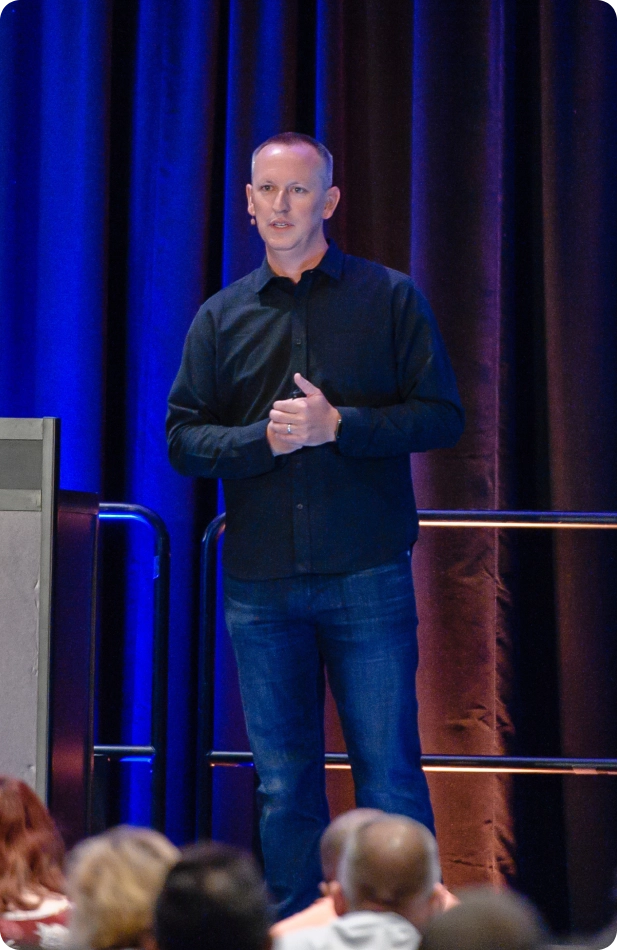
Andrew Connell
Learn the SPFx from a Microsoft MVP & SharePoint Expert
Andrew Connell is a 22-year Microsoft MVP with unmatched experience in SharePoint development. From farm solutions to add-ins and the SPFx, if it can be done in SharePoint, Andrew's done it. He's been involved with the SharePoint Framework since its early days—even before its public release in 2017—making him one of the most trusted voices in the field.
With over 41 hours of content and 250+ lessons, Andrew brings all his hands-on experience, practical guidance, and industry insights into his SPFx courses. You'll learn the SPFx directly from a recognized leader who's been at the forefront of Microsoft 365 development for years.
Learn when the next class is scheduled
Pricing
Invest in your developer career
Choose the perfect package to learn the SharePoint Framework!
Flexible options to match your budget and learning needs.
Part 1 (3 days)
Ideal for developers looking to get started with the SPFx, build web parts with property panes, leverage React, and how to deploy solutions.
- Live instruction, demos, and discussions
- Access to the live session recordings for 8 weeks
- Optional homework via self-paced on-demand instructor-led demos
- Download code demos
- Access to student-only community (Voitanos Learn)
- Six (6) live 90-minute sessions over 3 days
Total: 6 sessions, 9 hours of live instruction
Part 1 + Part 2 (6 days)
Perfect developers who want customize the SharePoint UX through extensions and built high performance production-ready apps
- Includes everything in Part 1
- Live instruction, demos, and discussions
- Access to the live session recordings for 8 weeks
- Optional homework via self-paced on-demand instructor-led demos
- Download code demos
- Access to student-only community (Voitanos Learn)
- Additional 6 live 90-minute sessions 3 days
Total: 12 sessions, 18 hours of live instruction! - Add Mastering the SPFx Fundamentals for just $150!
Includes lifetime access and future updates - $495 value!
FAQs
Can I download courses to watch offline?
Our courses are only available for streamed online viewing and aren’t available for downloaded or offline viewing.
Can I share my sign in to the course with someone else?
No, our terms & conditions prohibits any form of sharing logins or course access. Account activity is proactively tracked & abuse is taken seriously. Failure to follow our terms & conditions will result in disabling your account without a refund.
Do you offer Purchasing Power Parity (PPP) or discounts for people in countries outside the United States?
Yes! Some countries have a very unfavorable exchange rate to the United States Dollar (USD). This can make the course unfairly expensive and out of reach for you.
All our prices are listed in United States Dollars (USD) but if you live outside the United States, you may be eligible for special PPP discounts. We offer PPP discounts ranging from 10% to 60% off our self-paced courses.
To learn if we offer discounts for your country, see our Purchasing Power Parity (PPP) page.
What are the pre-requisites for your courses?
Check each course for any specific prerequisites. Students should have a modest computer at a minimum with internet access able to run a text editor and simple scripts.
For courses on topics related to Microsoft 365 (formerly Office 365), including SharePoint Online, we recommend you have access to a SharePoint Online developer tenant to test their creations against a live SharePoint environment. You can get a free tenant as part of the Microsoft 365 Developer Program.
What forms of payment do you accept?
We accept payment via credit card (VISA, MasterCard & American Express) or PayPal, via Apple Pay or Google Pay, or as a payment plan arranged through Afterpay or Klarna.
We can also accept payment via invoice, ACH, wire transfer, company check (only sent via UPS or FedEx; USPS is not accepted), and purchase order (PO). Contact us if you want to arrange payment via one of these options.
How can I enroll multiple students without individual purchases?
Our registration process is designed for enrolling one student at a time.
But we can easily handle enrolling multiple students under a single purchase! Contact us to arrange a quote (refer to the payment options FAQ below for more information).
Once we receive payment, all we need is the names & email addresses of the students. We’ll import them into the course you enrolled them in. Each student will then receive their individual sign in & and instructions on accessing their course via email.
Are courses live or pre-recorded?
Our on-demand courses consist of pre-recorded video presentations and demos for you to watch and learn at your own pace. If you find you are interested in more direct interaction and opportunities to ask questions, look at each course’s available bundles.
Do you offer a payment plan?
Yes! All our self-paced courses are available for purchase via a payment plan, handled by Afterpay or Klarna. The following answers common questions about our payment plan option:
- All payment details, including managing monthly payments, are handled by Afterpay or Klarna.
- Afterpay or Klarna typically performs a soft credit check for large amounts.
- Not all customers are guaranteed for approval for Afterpay or Klarna, as approval depends on various factors considered during Afterpay’s or Klarna’s assessment.
- Terms, amounts, and installment periods are non-negotiable as they are set by Afterpay or Klarna.
- Afterpay is available to customers located in the United States, Australia, New Zealand, United Kingdom, and Canada.
- Klarna is available to customers located in the United States, Australia, and Canada.
Refer to to Afterpay’s terms & Klarna’s terms for additional details. Learn more about this in our January 2024 & July 2024 announcements.
Do you offer any bulk rates for training teams of developers?
Absolutely! Teams of five (5) or more can enjoy a 20% discount. To arrange this, contact us for a discounted bulk purchase!
What are the system requirements for this class?
Students should have a modest computer at a minimum with internet access able to run a text editor and simple scripts. If you have a text editor or integrated development environment (IDE) on your laptop (Visual Studio, WebStorm, Eclipse, etc), you are in good shape.
Can discounts be combined?
No, discounts are exclusive and multiple discounts cannot be combined.
Do you offer discounts for education or government organizations?
Absolutely! Just contact us so we can discuss it.
Do you offer in-person or private training deliveries?
Yes! This is an ideal option for larger teams or when you want to have in-class discussions with context about your projects.
Learn more about our private corporate training options and contact us so we can discuss your goals for your training.
Do you provide a certificate of completion?
At this time we don’t include formal certificates of completion. If your organization requires a certificate, contact us so we can work with you and get you what you need.
What kind of development experience should I have to take your courses?
Students should have a modest computer at a minimum with internet access able to run a text editor and simple scripts. They should also have some hands-on experience with JavaScript development. While not required, more hands-on JavaScript experience, experience with TypeScript and npm is a plus.
Do you offer discounts for United States military service members?
Absolutely! First, thank you for your service! We’re more than happy to extend a discount to current and former members of the United States military. Just contact us and include some proof (like a photo of your CAC card, hiding any personal details) and we can chat about it.
How long are the courses?
Each course is different. Refer to each course’s page for details on each course’s length.
Our evergreen courses are never “finished” because they are constantly updated with new and refreshed content as Microsoft adds new features and capabilities.
Is this course appropriate for brand new SharePoint developers?
Absolutely! However, hands-on end-user SharePoint experience is required for this course. You should be familiar with SharePoint concepts such as tenants, sites and lists. SharePoint Framework development is very different from previous development models we’ve had in SharePoint (such as add-ins and solutions).
The client-side style of development in the SharePoint Framework doesn’t require any SharePoint technical experience so if this is the first line of code you are writing for SharePoint, you’re in a good place!
What is your refund policy?
Our goal is 100% satisfaction from our students. If you find the course did not meet your expectations, please contact us and we can discuss how we can remedy the situation. All sales are final fourteen (14) days after the date of purchase or if the person has watched 25% or more of the course. No refunds will be issued fourteen (14) days after the purchase or if the person has watched 25% or more of the course.
Are lessons self-paced or delivered in a prescribed schedule?
Our on-demand courses are self-paced, allowing you to consume the material at the pace that is perfect for you and your schedule. Once you purchase a bundle, you’ll have immediate access to the content included in that bundle to start your learning immediately and take as much, or as little, time as you need.
Do you offer student discounts?
Are you a student? Contact us with your student email or attach your student ID so we can provide you with a special discount code.
Is there an opportunity to ask questions?
The Ultimate Bundle of this course includes unique access to regular office hours with instructor Andrew Connell where you can submit questions in advance and have them answered during the call. it also includes access to to an online mastermind group (aka: forum) where you can ask questions and interact with the instructor and other students of the course.
Is there an opportunity to ask questions?
The content and presentation of our on-demand course materials are pre-recorded, so live interaction during the presentations isn’t included. However, some courses include additional options for live interactions and to ask questions. Also, check out our question policy here.
Will I still be able to access the course after I complete it?
Yes! Access to the course is unlimited! You’ll still be able to access the course to review any chapters that you need to at any time. In addition, with Voitanos’ commitment to evergreen content, when updates are made to the course, you’ll be notified so that you can review the new content, at no additional cost!
With the purchase of the Live class, you’ll have access to those class recordings for 30 days after the class ends.
If I buy the Fundamentals Bundle but want more, can I upgrade to the Ultimate Bundle?
Absolutely! You can upgrade from the Fundamentals Bundle to Ultimate Bundle for the difference in the price. Contact us for a special discount code to purchase the ultimate bundle.